Architectural regression testing for AI-assisted development
Enola maps your codebase before a change, shows exactly what the change altered afterward, and fails only the structural rules you choose. Your agent can fix the regression before it reports done — or the same check can stop it in CI.
23 languages & formatsOne local binaryAgent hooks · CLI · CI
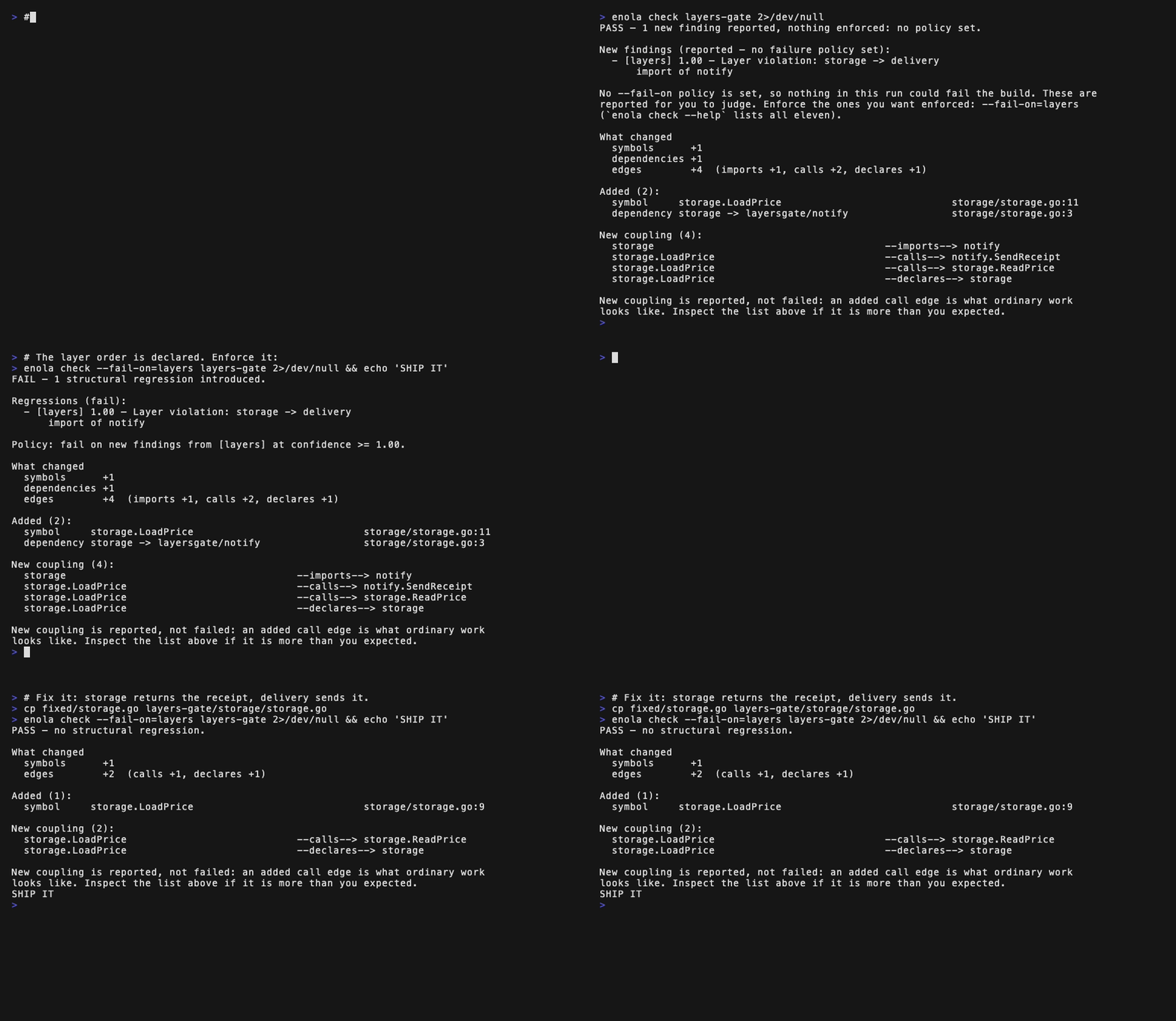
$ enola check --fail-on=layers FAIL — 1 structural regression introduced. Regressions (fail): - [layers] 1.00 — Layer violation: storage -> delivery import of notify New coupling (4): storage --imports--> notify storage.LoadPrice --calls--> notify.SendReceipt …and 2 more calls and declarations $ echo $? 1
Your rule: storage must not depend on delivery. The change: a helper added that dependency. The verdict: one new regression, exit code 1.
A different kind of test
Enola runs alongside your compiler and test suite. After they confirm that the code still works, Enola compares the architecture before and after the change. It reports the new dependencies, cycles, boundary violations and unintended spread the change introduced — then fails only the rules you chose to enforce.
Enola reports the one you introduced. Existing debt stays silent, so the gate can stay on.
One change in. One verdict out.
The verdict is not a fresh audit of the whole repository. It is a comparison between two deterministic structural maps, narrowed to what this change introduced or resolved.
Enola parses modules, symbols, routes, storage and dependencies into one deterministic graph, then pins it as the baseline.
Over MCP, the agent can ask what depends on a symbol, how two modules connect, and what a proposed edit can reach before it changes code.
Enola rebuilds the graph, compares it with the baseline, and returns new findings, resolved findings, coupling changes and scope spillover.
1
Enola measures the whole structural delta. Your policy decides which parts are allowed to stop the change.
See it on your code first
Try the same architecture engine directly from the CLI before connecting Enola's MCP server to an agent. --explain needs no baseline or configuration and writes nothing to the repository.
enola --explain /path/to/your/repo
Architecture Pattern: go-standard (38% confidence) cyclic dependencies 0 layer violations 0 Impact analysis (hotspots) coupled modules 319 high criticality 244 Top hotspots (by coupling): module fan-in fan-out crit blast radius modules/setting 590 61 high 306 modules/log 579 9 high 321 routers/web/repo 6 676 high 5 models/db 421 23 high 228 Code health god classes (high fan-in) 25 models/db.GetEngine 922 dependents modules/log.Error 856 dependents complexity outliers 15 services/gitdiff.ParsePatch complexity 65
The pattern Enola recognized or the layer order you declared, plus cycles and boundary violations.
The modules most other code depends on, how far a change can reach, and where coupling concentrates.
Structural outliers such as god classes, deep dependency chains and unusually complex functions.
If the map looks right, regression testing is the same measurement with a before to compare against.
curl -fsSL https://raw.githubusercontent.com/enola-labs/enola/main/install.sh | sh
One graph for the whole repository
Enola detects every supported language and format in the tree and puts them into one baseline and one verdict — because the boundary worth grading is often the one between them.
One read-only run over Discourse measured 140,291 facts and 750,144 edges across both halves. A language-specific checker cannot see the boundary between them, but can still print a confident report about "the architecture."
Why language counts are the wrong comparison →Use it where you work
Run Enola directly, add it to CI, or connect Claude Code, Cursor, GitHub Copilot, Codex, or Pi. No account and no hosted service, because there is nothing to sign up to.
One command, one file in ~/.local/bin. No Go toolchain and no C compiler needed. macOS and Linux run it as-is; on Windows use Git Bash or WSL, or download the archive.
Writes Enola's instructions into the files your agents already read, and adds the hooks that grade each session. It previews every change and asks before writing; enola uninstall reverses it byte-for-byte.
One line for Claude Code and Codex, a small JSON block everywhere else. This is what lets the agent read the graph before it edits.
A hook your agent silently ignores looks exactly like one it honours, so doctor reports when each hook last ran. It is a report, not a gate, and always exits 0.
curl -fsSL https://raw.githubusercontent.com/enola-labs/enola/main/install.sh | shenola install --hookspreviews every edit and asks before writingclaude mcp add enola enolaClaude Code · Cursor · Copilot · Codex · Pi — see the guide for the restenola doctorafter your next session, confirms the hooks firedFull install guide, all MCP clients →
The gate is a plain CLI. No MCP, no hooks, no config file: enola baseline pin, make your change, enola check --fail-on=layers. Same command and same exit code in CI. Drop the flag and it reports without failing anything.
Public benchmark
Those runs enforced --fail-on=cycles: a policy has to be named for anything to fail, and that is the one the benchmark named. The cycle benchmark tests regression isolation, not every finding type. The agent result comes from nine controlled Claude Code trials: evidence that the mechanism works end to end, not a measured effect size. We have also published the three MCP server benchmarks that did not work, and what each of them was really measuring. Read the methodology and full results.
Try it on one change
Every language, all 19 MCP tools, all 19 explainers, baselines, receipts and the dashboard ship in the open-source repository. There is no license check anywhere in it.
Running Enola across many teams and repositories?
Roll out Enola across your organization →